
Voter Experience
Last updated October 6, 2026
SnapBallot guides voters through a secure, straightforward election experience, from the invitation email and candidate review to ballot validation, submission, confirmation, and vote protection at every step.
View Transcript
- [0:00] Welcome to Ballot Bites. Today's topic covers the voter experience in SnapBallot.
- [0:06] In this video, we'll walk through the voter experience, from receiving an invitation email and reviewing candidates to casting a ballot, completing an optional survey, and understanding the safeguards that help protect election integrity.
- [0:21] When an election opens, eligible voters receive an email invitation containing election details and a secure link to the ballot. The email identifies the election and guides voters directly to the voting portal.
- [0:38] After clicking the voting link, voters are automatically logged in to their personal ballot.
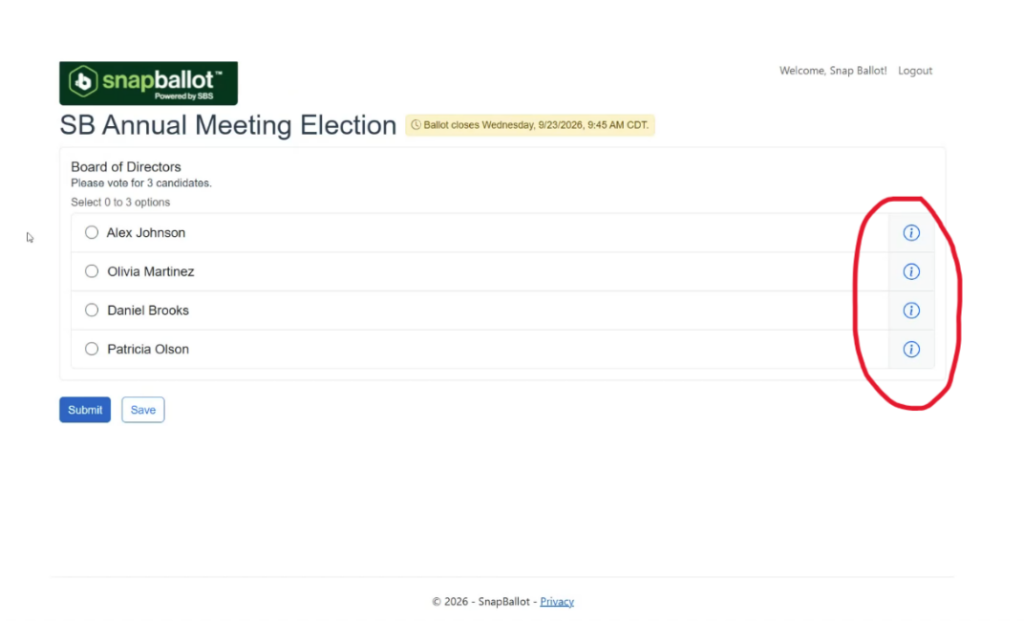
- [0:44] Before making selections, voters can review candidate biographies and supporting information directly within the ballot. This allows voters to learn more about each candidate right from their ballot.
- [1:06] SnapBallot helps voters avoid common voting mistakes through real-time ballot validation. If a voter selects more candidates than permitted in a contest, an over-vote warning will appear. It clearly explains the issue before the ballot can be submitted.
- [1:23] The same goes if they under-vote. SnapBallot will also show a warning that they must comply with the voting rules. The voter can then correct their selections and continue voting.
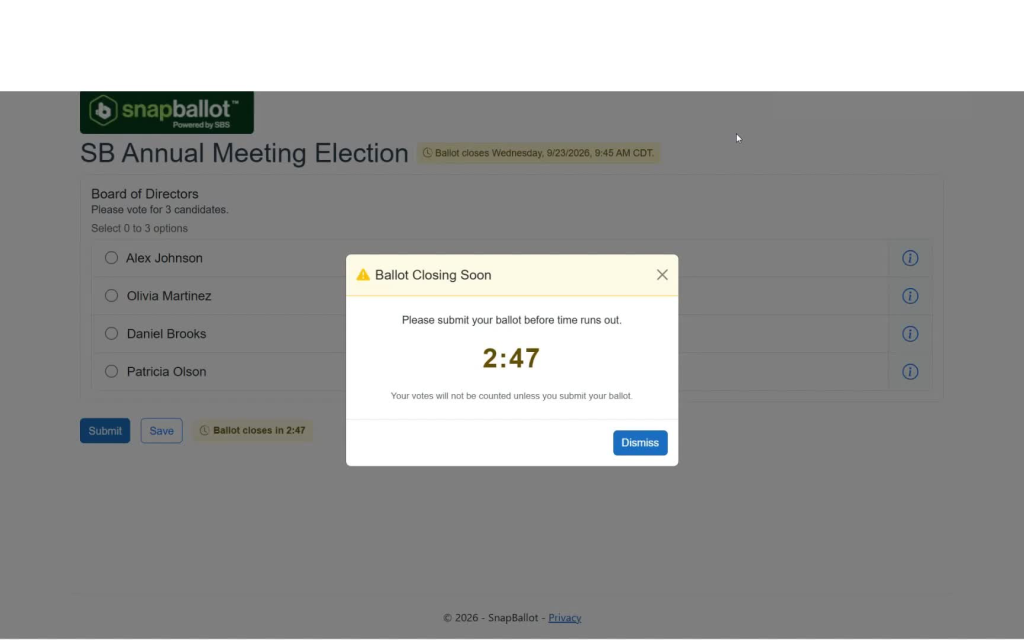
- [1:35] As an election approaches its closing time, voters may see a reminder indicating that voting will end soon. These notifications help ensure voters have an opportunity to complete and submit their ballot before the election closes.
- [1:49] Before final submission, voters can review all selections and confirm their choices. If needed, they can save their progress and return to the ballot at any time during the voting period before submitting their vote.
- [2:04] After submission, voters receive a confirmation email that their vote has been submitted.
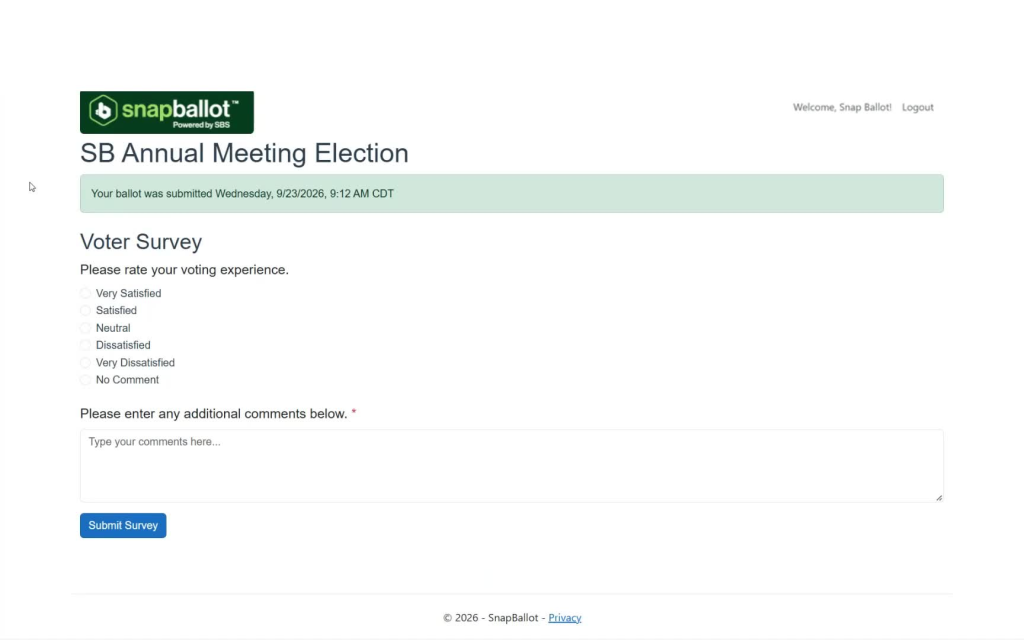
- [2:11] Following ballot submission, organizations may choose to display an optional voter satisfaction survey. This survey provides valuable feedback about the voting experience and helps election administrators improve future elections.
- [2:26] To help maintain election integrity, once a voter has successfully cast a ballot, they cannot vote in the same election again. If the voter attempts to access the ballot a second time, SnapBallot clearly indicates that their vote has already been recorded.
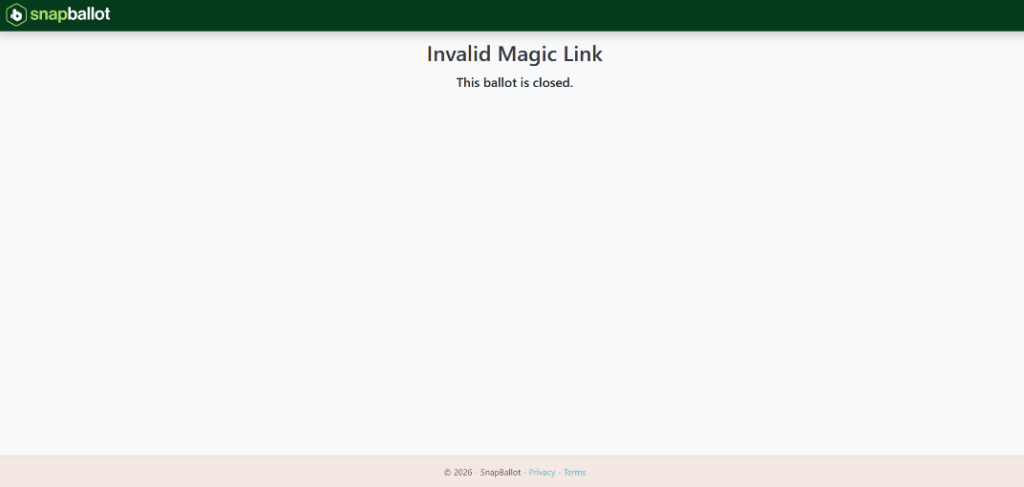
- [2:43] And if voting has already closed, a message will appear showing the link is no longer valid.
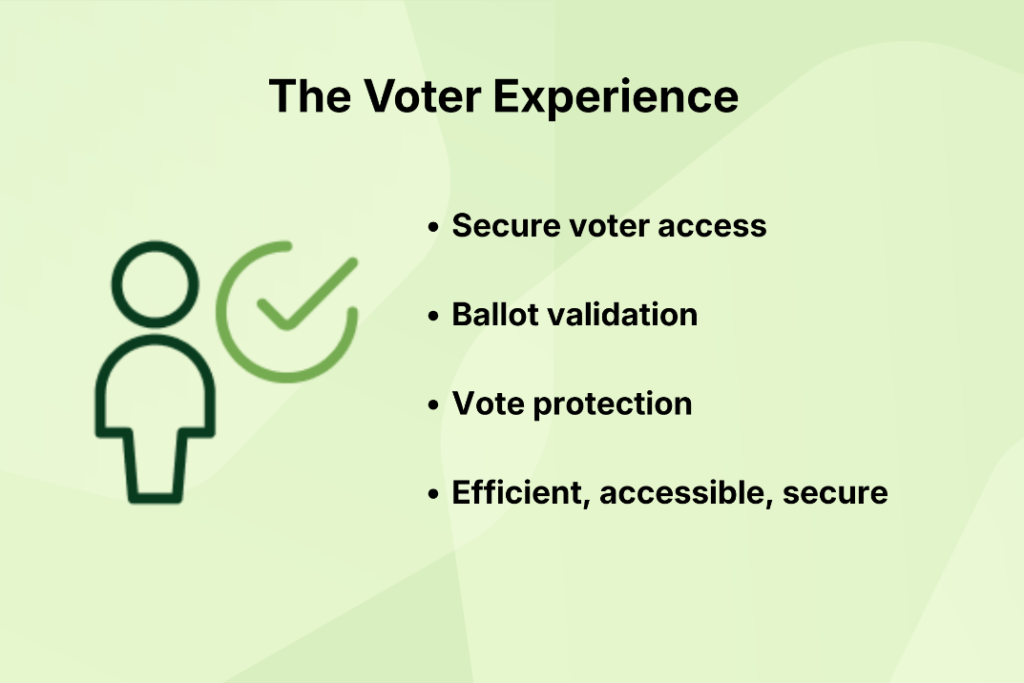
- [2:49] And that's the SnapBallot voter experience. From secure voter access and informed decision-making tools to ballot validation and vote protection, SnapBallot helps organizations run efficient, accessible, and secure elections.
- [3:04] For more tutorials and best practices, visit the SnapBallot Knowledge Base.
1. Receive the election invitation email
- When the election opens, eligible voters receive an email invitation.
- The email includes:
- Election details
- A secure link to the ballot
- The email directs voters straight to the voting portal.

2. Open the ballot and log in automatically
- Click the voting link in the email.
- Voters are automatically logged in to their personal ballot.
- This creates a direct, secure path into the election.

3. Review candidate information before voting
- Before making selections, voters can review:
- Candidate biographies
- Supporting information
- This information is available by clicking the “information” link.
- This helps voters make informed choices.
4. Make selections with real-time ballot validation
- SnapBallot checks selections as the voter makes their choices.
- If a voter selects too many candidates in a contest, an over-vote warning appears.
- If a voter selects too few or otherwise does not meet the voting rules, an under-vote warning appears.
- The voter can correct selections before continuing.


5. Watch for closing-time reminders
- As the election nears its end, voters may see a reminder that voting will close soon.
- These reminders help voters finish and submit their ballot before the deadline.
6. Review, save, and submit the ballot
- Before final submission, voters can review all selections.
- If needed, they can save progress and return later during the voting period.
- Once ready, they submit the ballot.

7. Receive confirmation after submission
- After submission, voters receive a confirmation email.
- This confirms that the vote has been successfully submitted.

8. Complete the optional voter satisfaction survey
- After ballot submission, organizations may show an optional survey.
- The survey collects feedback about the voting experience.
- Election administrators can use this feedback to improve future elections.
9. Understand vote protection and election integrity safeguards
- Once a voter successfully casts a ballot, they cannot vote again in the same election.
- If they try to access the ballot again, SnapBallot shows that the vote has already been recorded.
- If voting has closed a message will appear showing the link is no longer valid.
- These safeguards help protect election integrity.

10. Review the overall benefits of SnapBallot
- SnapBallot supports:
- Secure voter access
- Ballot validation
- Vote protection
- The platform is designed to help organizations run elections that are efficient, accessible, and secure.
For more tutorials or FAQ’s, visit the SnapBallot Knowledge Base: snapballot.app/help/
Related articles
SnapBallot Overview
A step-by-step overview of setting up an election in SnapBallot — from creating a ballot and uploading voters to configuring…
Voter Support
Support voters with confidence — resolve common issues, check status and resend voting links, update emails, send a safe-sender notice,…
From The Blog

5 Ways to Increase Homeowner Engagement in Your HOA Community
Learn 5 practical strategies to boost homeowner engagement, increase HOA election participation, reach quorum, and build a stronger community.
Achieve HOA Quorum Effortlessly with Digital Voting
Struggling to reach quorum? Discover how digital voting can increase homeowner participation, simplify elections, and help your HOA move forward.

Everything You Need to Launch Your First Online HOA Election
Digitizing your HOA elections will help you save time, preserve resources, and give homeowners a better experience.